
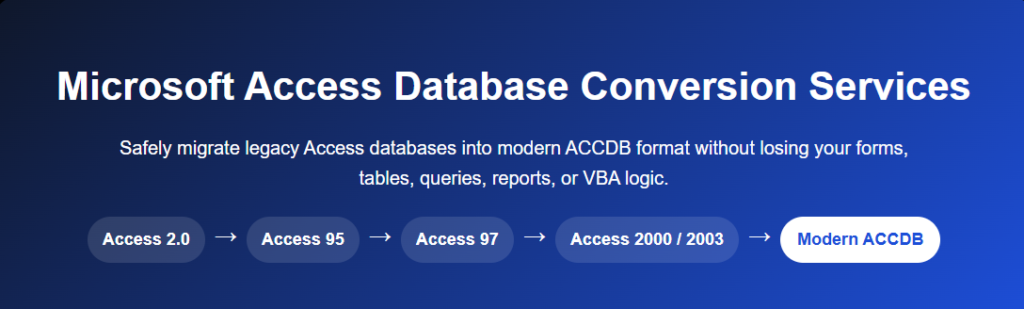
Microsoft Access Version Conversion Services
Upgrade your Access database without breaking your system.
If you’re running an older version of Microsoft Access, you may already be experiencing compatibility issues, performance problems, or security risks. Many legacy databases were built on outdated formats like .MDB, which are no longer fully supported in modern environments. Converting your Access database to a newer version ensures stability, security, and long-term usability.
At AccessEvolved, we specialize in Microsoft Access version conversion and upgrades, helping businesses move from older versions of Access (2003, 2007, 2010) to modern platforms like Access 2019 and Microsoft 365—without losing functionality or data integrity.
Why Convert Your Access Database?
Outdated Access databases can create serious limitations for your business:
- Older versions lack security updates, increasing risk exposure
- Compatibility issues with modern Windows and Office environments
- Higher risk of database corruption and performance problems
- Limited ability to integrate with modern tools and cloud systems
Upgrading your database ensures your system continues to run reliably while opening the door to future enhancements.
Our Access Conversion Process
We follow a structured approach to ensure a smooth and safe transition:
- Database Assessment – Review file formats, dependencies, and compatibility
- Code & Macro Updates – Modernize VBA and resolve deprecated features
- Data Conversion – Upgrade from legacy formats like MDB to ACCDB
- Testing & Validation – Ensure all forms, queries, and reports function correctly
- Deployment & Support – Launch your upgraded system with ongoing support
A careful conversion process is critical—many older databases require code updates, format changes, and compatibility fixes to work properly in newer environments.
Common Conversion Scenarios
We help with a wide range of Microsoft Access upgrades:
- Access 97 / 2003 (.MDB) → Modern Access (.ACCDB)
- 32-bit Access → 64-bit compatible systems
- Desktop Access → Cloud-connected or hybrid solutions
- Preparing Access databases for Power Platform migration
Each conversion is handled with a focus on preserving your business logic while improving performance and reliability.
Beyond Conversion: Planning Your Next Step
Upgrading your Access version is often the first step—not the last. Once your system is stable and compatible, many businesses choose to:
- Integrate with SharePoint or SQL Server
- Automate workflows with Power Automate
- Transition to Power Apps for scalability and mobile access
We help you not just upgrade—but evolve your system into something that supports long-term growth.
Get Started with Access Version Conversion
If your Microsoft Access database is outdated, slow, or causing issues, now is the time to upgrade. Our team will assess your current system and guide you through a safe, efficient conversion process.
Contact us today to modernize your Access database and ensure it continues to support your business for years to come.