
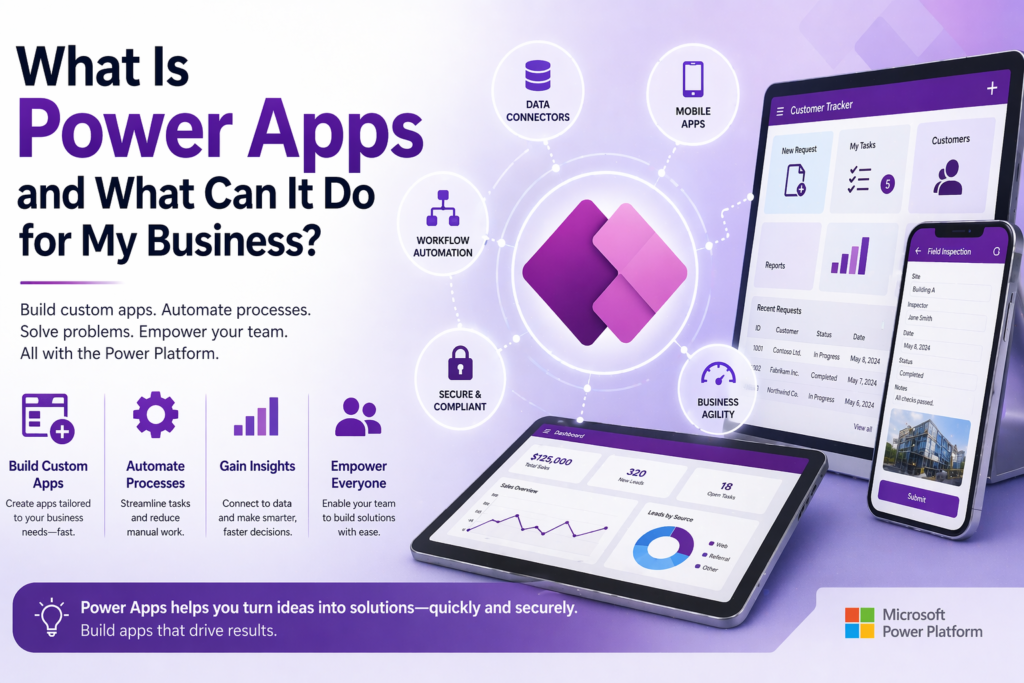
If you’ve been hearing the term Power Apps and wondering what it actually is — and whether it has anything to do with your business — this post is for you. No jargon, no assumption that you already know what the Microsoft Power Platform is. Just a plain-English explanation of what Power Apps does, who it’s for, and how to know if it’s something worth paying attention to.
The One-Sentence Version
Power Apps is a Microsoft tool that lets you build custom business applications — forms, databases, workflows, dashboards — without hiring a software development team or paying for enterprise software.
That’s it. Everything else is details.
The Slightly Longer Version
Most small and mid-sized businesses reach a point where their processes outgrow the tools they started with. The spreadsheet that tracked ten clients now tracks two hundred and nobody trusts it. The paper form that worked fine with one location is a nightmare across three. The Access database that one person built years ago runs half the operation and nobody else understands it.
At that point, businesses typically face a choice between two unappealing options: buy an off-the-shelf software package that does eighty percent of what you need and requires workarounds for the rest, or commission a custom software build that costs six figures and takes a year.
Power Apps is a third option that most small business owners don’t know exists. It sits in the middle — custom enough to fit your actual process, fast enough to build in weeks rather than months, and priced in a way that makes sense for businesses that aren’t enterprise.
What Power Apps Actually Is
Power Apps is part of Microsoft’s Power Platform, which also includes Power Automate, Power BI, and Dataverse. It is a low-code application development environment — meaning you build applications visually, by connecting components and configuring logic, rather than writing traditional programming code from scratch.
The applications you build in Power Apps are real business applications. They run in a browser, on a phone, and on a desktop. They connect to real data sources — Microsoft SharePoint, Dataverse, SQL Server, Excel, and hundreds of third-party systems. They enforce validation rules, display data in real time, support multiple user roles with different permissions, and handle the kind of business logic that previously required a developer to implement.
The difference between Power Apps and traditional software development is not that Power Apps produces simpler or less capable applications. It is that Power Apps gets you there faster and at a fraction of the cost, because the foundational infrastructure — the data connectors, the UI components, the security model, the mobile rendering — is already built. You configure rather than construct.
What Kinds of Applications Can You Build?
Almost anything a small business needs to run its operations. Here are the categories we see most often:
Data entry and record management. Replacing paper forms, spreadsheets, and Access databases with a structured application that validates input, enforces required fields, and stores records in a real database. Job intake forms, client records, inventory tracking, employee onboarding checklists — anything that currently lives in a form or a spreadsheet is a candidate.
Approval workflows. Applications where a request is submitted by one person, routed to one or more approvers, and acted on based on their response. Purchase requests, time-off requests, change orders, expense approvals — any process that currently happens over email with no tracking or audit trail.
Field operations. Mobile applications for staff who work away from a desk. Inspection checklists, service reports, delivery confirmations, safety incident reporting — anything that field workers currently do on paper or via text message.
Dashboards and reporting. Applications that pull data from multiple sources and present it in a unified view for managers and decision makers. Job status boards, client pipeline trackers, compliance dashboards, operational KPI displays.
Customer and vendor portals. External-facing applications where clients, subcontractors, or vendors can submit requests, check status, upload documents, or interact with your business process without needing access to your internal systems. These are built on Power Pages, which is part of the same platform.
Who Is It Actually For?
Power Apps is a strong fit for businesses that meet a few specific criteria.
You are already in the Microsoft ecosystem. If your business uses Microsoft 365 — Outlook, Teams, SharePoint, OneDrive — you already have access to Power Apps as part of your subscription. You are paying for it and not using it. The incremental cost to start building is often zero or close to it.
You have a process that has outgrown its current tool. The clearest sign is when a spreadsheet starts behaving like a database — with records, lookups, and relationships between tabs. Or when a paper form creates downstream data entry work because someone has to transcribe it into another system. Or when the answer to “where is that information?” is consistently “I’ll have to check with so-and-so.”
You need something custom but can’t justify enterprise software pricing. Off-the-shelf tools are built for the average use case. If your process has specific requirements — a unique approval chain, an unusual data structure, industry-specific fields — a packaged solution will always require compromises. Power Apps lets you build to your actual process.
You want something your team will actually use. Applications built in Power Apps run on the devices your team already carries. They look like modern apps because they are. The adoption barrier is lower than asking people to learn a new enterprise system.
What Power Apps Is Not
It is worth being honest about the boundaries.
Power Apps is not a website builder. It builds internal and external business applications, not marketing websites or e-commerce stores. If you need a public-facing website, that is a different tool.
Power Apps is not a replacement for your EHR, your accounting software, or your CRM if those systems are working well. It is best understood as the layer that fills the gaps around your core systems — the workflows those systems don’t handle, the processes that fall between them.
Power Apps is not infinitely capable without technical help. The no-code promise is real for straightforward applications. But complex data models, custom integrations, advanced security configurations, and large-scale deployments benefit significantly from someone who knows the platform well. The difference between a Power Apps application built by someone who understands the platform and one built by someone figuring it out is significant — in build time, performance, and long-term maintainability.
What Does It Cost?
Microsoft 365 Business subscriptions include access to Power Apps with some limitations. For applications built on SharePoint Lists as a data source, the cost beyond your existing M365 subscription can be zero.
For applications that use Dataverse — which we recommend for anything serious — a Power Apps per-user license runs around $20 per user per month, or a per-app license around $5 per user per month. For a team of ten people using one application, that is $50 to $200 per month in licensing — a fraction of what comparable off-the-shelf software typically costs.
Development cost is separate from licensing. A straightforward Power Apps project typically runs between $3,000 and $8,000. A mid-complexity business application with multiple screens, Dataverse backend, and Power Automate workflows runs $8,000 to $20,000. The right scope depends entirely on what you are building and what you are replacing.
How Do You Know If It’s Right for Your Situation?
Run through these questions:
Does your business use Microsoft 365? If yes, you already have access to Power Apps.
Do you have a process running on spreadsheets, paper forms, or an Access database that has become unreliable, hard to maintain, or impossible for anyone but one person to manage? That is a Power Apps candidate.
Have you looked at off-the-shelf software for this problem and found it either too expensive, too generic, or too complex for what you actually need? Power Apps is likely the right alternative.
Do you have field staff who need to capture or access information away from a desk? Power Apps runs on any mobile device and works in low-connectivity environments with offline capability.
If you answered yes to most of those, the conversation is worth having.
The Bottom Line
Power Apps exists in a gap that most small businesses didn’t know was fillable — between the spreadsheet that’s become a liability and the enterprise software that’s too expensive and too rigid. For businesses already in the Microsoft ecosystem, it is often the fastest and most cost-effective path to a real business application built around how you actually work.
It is not magic and it is not instant. But it is significantly more accessible than most small business owners realize, and the businesses that figure that out early have a genuine operational advantage over the ones still running everything on spreadsheets and paper.
Ready to talk through your options? Reach out to Anthony at AccessEvolved — email anthony@accessevolved.com or call 212-951-1010. No sales pitch, just a straight conversation about what makes sense for your situation.