
Healthcare organizations run on documentation, compliance, and communication — and the administrative burden of managing all three manually is one of the biggest operational challenges the industry faces. Nurses and clinicians spend hours on paperwork that should take minutes. Compliance officers chase signatures and track expirations in spreadsheets. Patient-facing processes that should be seamless create friction at every step.
Power Apps doesn’t replace clinical systems like an EHR. What it does is fill the gaps around them — the workflows that your EHR doesn’t handle, the internal processes that still run on paper, and the administrative tasks that eat time your staff should be spending on patients.
Here are five use cases we see consistently in healthcare that are practical, buildable on the Microsoft stack, and deliver real operational value.
1. Incident and Adverse Event Reporting
Healthcare incident reporting — falls, medication errors, near misses, equipment failures — is both a regulatory requirement and a patient safety imperative. But when the reporting process is cumbersome, staff underreport. Paper forms get lost, emailed reports sit in inboxes, and the data that should be driving safety improvements never gets analyzed because it never gets collected consistently.
A Power Apps incident reporting app puts a structured, mobile-accessible form in front of every staff member on any device. They select the incident type, location, individuals involved, and a description, attach photos or supporting documentation if relevant, and submit in under three minutes. The report routes automatically via Power Automate to the appropriate department manager and risk management team, creates a timestamped record in Dataverse with the submitting user’s identity, and triggers escalation alerts for high-severity events.
Because the form uses dropdown controls, required fields, and standardized classifications, every report comes in clean and consistent — ready for analysis without manual cleanup. Over time the data builds into a reporting library that actually tells you where your risk is concentrated.
2. Staff Credentialing and License Tracking
Every licensed clinician in your organization has credentials, certifications, and licenses that expire on different dates. Managing those expirations manually — tracking them in a spreadsheet, chasing reminders via email, hoping nothing lapses before a Joint Commission survey — is a process that creates real compliance exposure and significant administrative overhead.
A Power Apps credentialing tracker gives every staff member a record with their required credentials, expiration dates, submission history, and current compliance status. Power Automate sends automated reminders to employees at 90, 60, and 30 days before expiration, and alerts the credentialing coordinator when anything lapses or is approaching lapse without action.
Managers can see a real-time compliance dashboard showing which staff are fully credentialed, which have items expiring soon, and which have gaps — without opening a spreadsheet or making phone calls. For organizations subject to Joint Commission, CMS, or state licensing board audits, the audit trail this creates is a significant advantage over manual tracking.
3. Patient Intake and Pre-Visit Forms
Paper intake forms are still the standard in many outpatient and specialty practices. Patients fill them out by hand in the waiting room, staff manually transcribe the information into the EHR, and the process creates delays, transcription errors, and a waiting room experience that starts the visit on the wrong note.
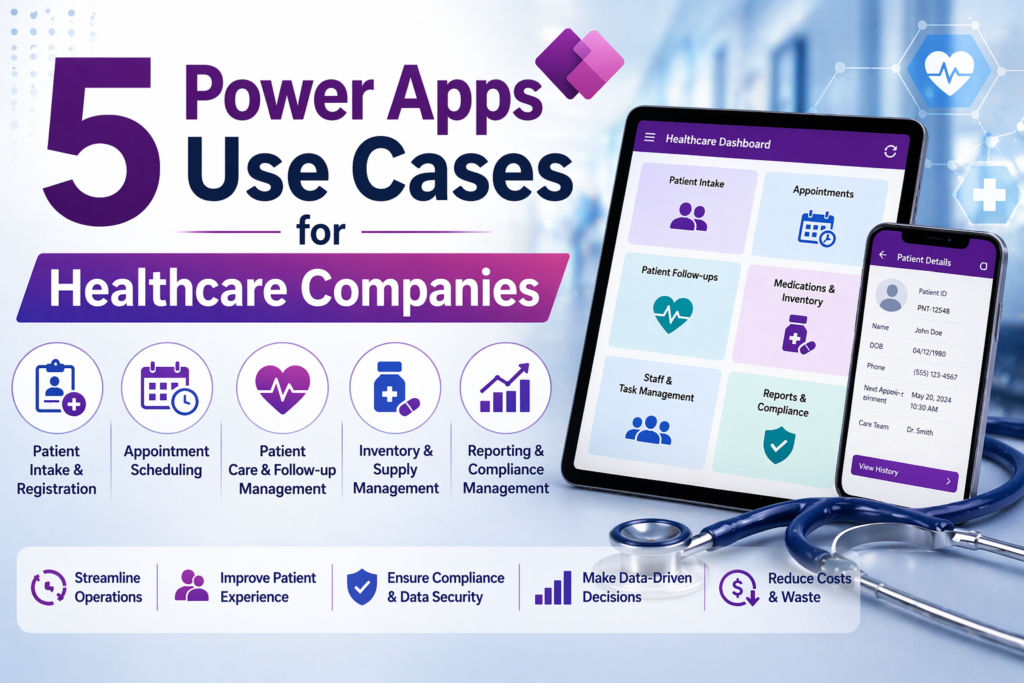
A Power Apps patient intake solution — paired with a Power Pages portal for patient-facing access — lets patients complete intake forms on their phone or a tablet before they arrive. Clinical history, insurance information, consent forms, and chief complaint are captured digitally, validated at the point of entry, and available to clinical staff before the patient walks in the door.
The data flows into Dataverse where it can be reviewed, used to pre-populate visit documentation, and archived as part of the visit record. Staff time previously spent transcribing paper forms gets redirected to patient care. Wait times drop. Data quality improves.
4. Equipment Maintenance and Biomedical Tracking
Clinical equipment — infusion pumps, ventilators, patient monitors, diagnostic devices — requires regular preventive maintenance, calibration, and inspection. In most healthcare organizations, tracking that maintenance schedule is the biomedical engineering team’s problem, and it usually gets managed in a spreadsheet or a legacy system that nobody outside the department can access.
A Power Apps equipment maintenance tracker gives every device a record with its location, assigned department, maintenance schedule, service history, and current status. Biomedical technicians log completed maintenance through the app. Power Automate alerts the biomedical team when scheduled maintenance is approaching and flags overdue items to department managers.
Clinical staff can check the maintenance status of a specific device from their phone before using it — a simple capability that supports both patient safety and regulatory compliance. For organizations subject to The Joint Commission’s equipment management standards, the documentation trail this creates is directly audit-ready.
5. Employee Rounding and Patient Experience Tracking
Leader rounding — managers and directors making regular visits to patients, staff, and units to assess experience and identify issues — is a recognized best practice in healthcare operations. But in most organizations, rounding happens inconsistently, findings get noted on paper or in personal notebooks, and the data never aggregates into anything actionable.
A Power Apps rounding app gives every leader a structured mobile form for capturing rounding observations. They select the unit, document who they spoke with, record compliments and concerns, flag items that require follow-up, and assign action items to the appropriate owner — all from their phone during the rounding visit itself.
Power Automate routes follow-up items to the responsible party and tracks them to resolution. Rounding frequency, findings by unit, and open action item counts are visible in a Power BI dashboard that gives senior leadership a real-time picture of patient and staff experience across the organization — something that previously required manual aggregation of paper rounding logs days after the fact.
Why Healthcare Is a Strong Fit for Power Apps
Healthcare organizations have a specific combination of characteristics that make Power Apps well suited to their operational needs: staff work across multiple locations and shifts, compliance documentation requirements are extensive and consequential, existing systems handle clinical workflows but leave administrative gaps, and the cost and complexity of enterprise software implementations makes point solutions difficult to justify for individual workflow problems.
Power Apps fills those gaps without requiring a new enterprise contract, a months-long implementation, or IT involvement for every small process improvement. The five use cases above represent workflows that most healthcare organizations handle manually today — and that can be built, tested, and deployed in weeks on the Microsoft 365 licenses most organizations already own.
One important note: Power Apps in healthcare requires attention to HIPAA compliance. Any application handling protected health information needs to be built on a HIPAA-covered Microsoft environment, with appropriate Business Associate Agreements in place. Microsoft 365 and Dataverse support HIPAA compliance, but the configuration matters. We build healthcare applications with that compliance foundation in place from the start.
Ready to talk through your options? Reach out to Anthony at AccessEvolved — email anthony@accessevolved.com or call 212-951-1010. No sales pitch, just a straight conversation about what makes sense for your situation.