
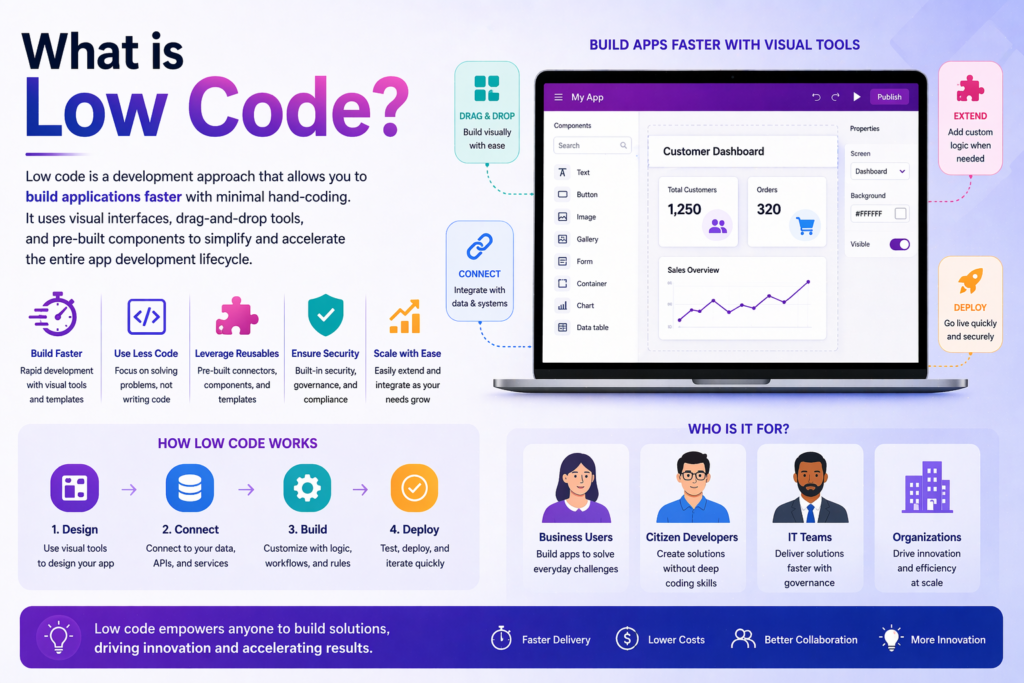
“Low-code” is one of the most misunderstood terms in the Microsoft ecosystem right now. Microsoft uses it everywhere — in Power Apps marketing, in Power Automate documentation, in every conference keynote about the Power Platform. The implication is clear: you don’t need to be a developer to build business applications anymore. Anyone can do it.
That’s partially true. And it’s also responsible for a significant number of failed implementations, frustrated business owners, and half-built applications sitting abandoned in someone’s Power Apps environment.
This post is not an argument against Power Apps or the Power Platform. We build on it every day and it is genuinely one of the best tools available for small business application development. But “low-code” deserves an honest explanation — because what it actually means is very different from what most people assume when they hear it.
What “Low-Code” Actually Means
Low-code means that the foundational infrastructure of application development — the UI rendering engine, the data connectors, the security framework, the mobile optimization layer — has already been built for you. You do not write that code. You configure it.
What low-code does not mean is that building a business application requires no skill, no planning, no understanding of data architecture, and no experience with the platform. It means the floor is higher. The starting point is more accessible. The amount of work required to get something functional is less than it would be in traditional development.
But the ceiling — the complexity of what you are trying to build — has not changed. A complex business process is still a complex business process. A poorly designed data model is still a poorly designed data model. A security configuration that doesn’t match your organizational structure is still a security problem. Low-code tools make the easy things easier. They do not make the hard things disappear.
The Gap Between a Demo and a Production Application
Every Power Apps demo looks effortless. In fifteen minutes, someone builds a form, connects it to a SharePoint List, adds a gallery to display records, and shows data flowing in real time. It looks like magic. It looks like anyone could do it.
What the demo does not show:
The data model conversation that happened before any screen was designed — identifying every entity, every relationship, every field, every data type, and every business rule that the application needs to enforce.
The delegation discussion — figuring out whether SharePoint Lists can handle the data volume or whether Dataverse is required, and what that means for licensing, environment setup, and development approach.
The user role mapping — determining who can see which records, who can edit what fields, who has read-only access, and how those permissions need to be enforced at the data level rather than just hidden in the UI.
The error handling design — deciding what happens when a form submission fails, when a flow encounters an error, when a required integration is unavailable, and how users get meaningful feedback instead of a cryptic error message.
The change management conversation — figuring out how to get your team to actually use the new application instead of defaulting back to the spreadsheet they’re comfortable with.
None of these are solved by drag-and-drop. All of them require experience, judgment, and often significant iteration before they are right.
The Specific Ways “Low-Code” Gets People Into Trouble
The data model problem
The most common failure mode we see in self-built Power Apps is a bad data model. Someone jumps straight into building screens without thinking carefully about the underlying data structure. They put everything in one table when they need three. They use text fields where they need lookup relationships. They store calculated values instead of calculating them at runtime. They build something that works for ten records and breaks for a thousand.
In traditional software development, a data architect reviews the model before a line of code is written. In low-code development, the accessibility of the tools makes it easy to skip that step — and the consequences show up later, when the application is in production and restructuring the data model means rebuilding half the application.
The delegation trap
As covered in our Power Apps 101 post, delegation is one of the most consequential technical concepts in Power Apps development. A self-builder who doesn’t understand delegation builds an application on SharePoint Lists, tests it with fifty records, and ships it to their team. Six months later the list has three thousand records and the application is silently returning wrong results — filtering and searching only the first two thousand records and missing everything else.
This is not a hypothetical. It is one of the most common problems we are called in to fix in applications that were built without platform expertise.
The flow architecture problem
Power Automate flows that are built without architectural planning become unmaintainable quickly. Flows with no error handling fail silently. Flows that are not organized into solutions cannot be promoted between environments. Flows that hardcode values instead of using environment variables break when anything changes. Flows that are built as one massive sequence instead of modular components become impossible to debug.
None of these are problems that low-code prevents. They are problems that experience prevents.
The security afterthought
Dataverse security roles are powerful and flexible — and genuinely complex to configure correctly. A self-builder who sets up Dataverse without understanding security roles often ends up with one of two problems: everyone can see and edit everything, or the security is so restrictive that users cannot do their jobs. Getting it right requires understanding how business units, security roles, and record ownership interact — concepts that take time to learn and are easy to get wrong.
The “I’ll figure it out as I go” scope
Low-code tools make it easy to start building before you have a clear picture of what you are building. The accessibility is both the strength and the trap. In traditional development, the cost of writing code creates a natural incentive to plan carefully before starting. In low-code development, the ease of dragging a control onto a canvas creates a temptation to start building before the requirements are understood.
Applications built this way accumulate technical debt fast. Screens get added without a coherent navigation model. Data gets stored in multiple places because nobody mapped the full data model upfront. Flows get duplicated because nobody organized them. The result is an application that works — barely — and that nobody wants to touch because changing anything might break something else.
Where Low-Code Genuinely Shines
To be clear: there are scenarios where Power Apps’ low-code nature is a genuine advantage, not just marketing language.
Simple, well-defined use cases with clean data requirements can be built quickly and inexpensively. A single-table form with a notification flow and a gallery to display records is legitimately fast to build if the requirements are clear.
Iteration speed is real. Changes that would take days in traditional development can often be made in hours in Power Apps. Once an application is built correctly, adding a field, adjusting a screen, or modifying a flow is genuinely fast.
Business user involvement in the build is possible in a way that traditional development does not support. A power user who understands the platform can make meaningful modifications without a developer — a genuine operational advantage for small businesses.
The total cost of ownership is lower than traditional development for the right use case — not because it is easy, but because the infrastructure cost is amortized across millions of Microsoft customers and the build time for a given feature is genuinely shorter once the platform is understood.
What This Means When You’re Hiring
If you are evaluating Power Apps consultants or developers, “low-code” being in the pitch should not lower your expectations for technical rigor. The questions worth asking:
How do they approach data modeling before they start building? If the answer is that they just start building, that is a red flag.
How do they handle delegation? Can they explain when SharePoint is appropriate and when Dataverse is required? If they cannot articulate that distinction, they have not built applications at scale.
How do they structure flows? Do they use solutions, environment variables, and modular flow architecture? Or do they build everything in one place and hope nothing changes?
How do they handle security? Can they explain Dataverse security roles and how they would configure access for your specific user structure?
What does their testing process look like? Low-code does not mean low-risk. A proper testing process — with realistic data volumes and all user roles represented — is non-negotiable.
What This Means If You’re Building It Yourself
If you are a business owner or internal IT resource building Power Apps for your own organization, low-code genuinely gives you a viable path — with some caveats.
Invest time in understanding data modeling before you touch the canvas. The most important decisions in a Power Apps project are made before the first screen is designed. Understand your entities, your relationships, and your data volumes before you commit to a data source.
Learn delegation before you commit to SharePoint. If there is any chance your data will exceed a few thousand records, understand delegation limits before you build on SharePoint Lists.
Build in solutions from day one. Solutions are the mechanism for organizing, versioning, and promoting Power Apps applications between environments. Building outside a solution is fine for personal experiments and becomes a maintenance problem for anything production.
Plan your security model before you configure Dataverse. Map out your user roles, what each role can see, and what each role can do before you start configuring security roles in Dataverse.
Get help for the parts you don’t know. Low-code means the barrier to building something functional is lower. It does not mean that expertise has no value. Bringing in someone with platform experience for a scoping conversation or an architecture review — even if you plan to build it yourself — is almost always worth the cost.
The Bottom Line
Low-code is a real and meaningful advance in how business applications get built. It has genuinely democratized application development in ways that benefit small businesses that could never have justified traditional software development costs.
But it is not a magic wand. The business problems that applications solve are still complex. The data that applications manage is still messy. The users that applications serve still have varied needs and edge cases. Low-code tools make the build faster and more accessible — they do not make the thinking easier.
The most successful Power Apps implementations we have seen — the ones that actually get adopted, actually handle production data volumes, and actually hold up over time — all have one thing in common: someone took the time to think carefully before they started building.
That thinking is where the real work is. The drag-and-drop is the easy part.
Ready to talk through your options? Reach out to Anthony at AccessEvolved — email anthony@accessevolved.com or call 212-951-1010. No sales pitch, just a straight conversation about what makes sense for your situation.